Best Phones for Seniors in 2026
Affiliate disclosure: We may earn a commission if you buy through links on this page. It never changes our rankings. How we earn
We tell you which phone fits a parent, a grandparent, or you. Fit means a screen that’s easy to read, calls that come through loud and clear, and a price that still makes sense after the monthly plan.
We read the specs and the carrier fine print, and weigh hearing aid compatibility and the emergency options before any phone earns a spot.
Related Caregiving Resource
Need broader help for an aging parent beyond phones?
Visit AgingParentTech.com for bathroom safety products, home safety devices, daily living aids, and practical guides that help older adults stay safer and more independent at home.
Why Trust Our Reviews?
We focus on practical buyer guidance, transparent tradeoffs, and decision criteria built around the needs of older adults and caregivers.
Decision-First Reviews
We compare phones by the things families actually need to evaluate, including readability, call clarity, setup burden, and whether a device fits the user.
Senior-Focused Criteria
We look closely at screen contrast, menu simplicity, hearing aid compatibility, loudness, physical controls, and how much caregiver help may be needed.
Transparent Tradeoffs
We call out limitations, carrier lock-in, setup complexity, and recurring costs so buyers can see where each phone fits well and where it does not.
Top 3 Phones for 2026
Chosen for readability, hearing aid compatibility, and a low learning curve. Device prices are as of May 2026, so verify before buying, since carrier and retailer pricing shifts.

Jitterbug Smart5
Best Overall for Seniors
The simplest full smartphone we compare. A list-based menu replaces the icon grid, so everything is one tap away. Its red Urgent Response button reaches a 24/7 live agent on the Preferred and Premium plans, so price the service in. It is Lively's current smartphone and needs a Lively plan.
- check_circleList-based interface: no confusing icon grids
- check_circleUrgent Response button (live agent on Preferred and Premium plans)
- check_circleHearing aid rated under ANSI C63.19-2019
- check_circle6.75" display with large text

Jitterbug Flip3
Best Flip Phone for Seniors
The flip phone for anyone who finds touchscreens frustrating: open to answer, close to hang up, with a keypad you can feel. Same Urgent Response option as the Smart5, on the Preferred and Premium plans. It is Lively's current flip phone.
- check_circleClassic flip design, easy to hold and close
- check_circleLarge backlit keypad buttons
- check_circleDedicated Help button on the handset
- check_circleUp to 12 hours of talk time (Lively figure)
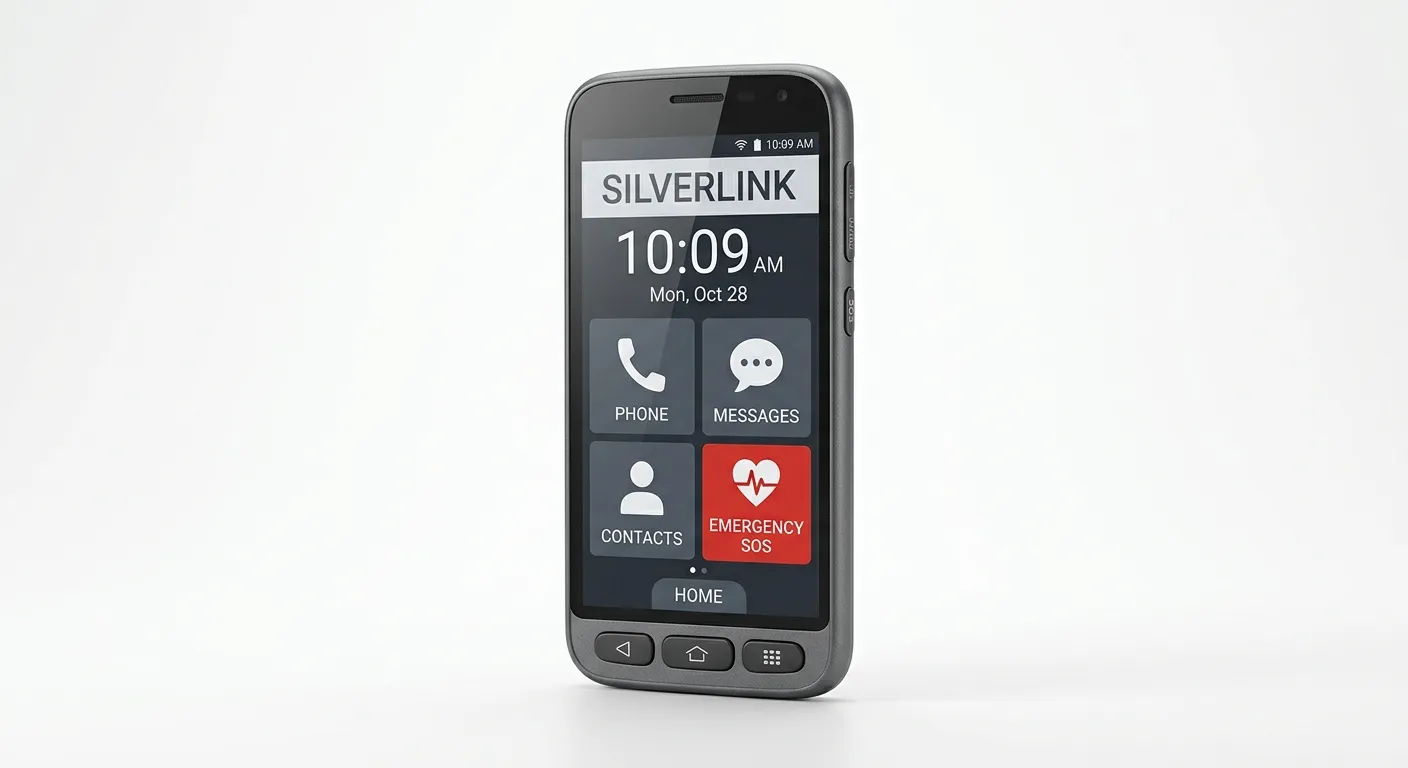
Consumer Cellular IRIS Connect 2
Best Budget Android on a No-Contract Plan
Full-size Android smartphone on one of the most affordable no-contract plans available. The IRIS Connect 2 brings a 6.8" screen and 5,000 mAh battery to seniors who want a real smartphone without a long-term contract or premium price.
- check_circle6.8" HD+ display, Android 15
- check_circleHearing aid compatible (M3/T3)
- check_circleNo-contract plans from $20/mo (Consumer Cellular AARP partner)
- check_circle5,000 mAh battery (~25h talk time)
We tell you which safety features are built in, and which cost extra.
We weight emergency access heavily in every comparison. And we always separate what a phone includes out of the box from what needs a paid service or setup. That gap is where most safety disappointment comes from.
One-Touch SOS
A dedicated button beats a software gesture in a stressful moment. On Lively phones it reaches a 24/7 live agent, as a paid add-on. We flag which phones have a real button and which rely on settings you configure.
GPS Location Sharing
Securely share real-time location with trusted family contacts for wellness checks and navigation assistance.
Hearing Aid Compatibility
Every phone in our core comparison carries an FCC hearing aid compatibility (HAC) rating of at least M3/T3, with M4/T4 the top tier, and where a maker does not publish a rating, we say so instead of guessing.
HAC ratings (M3/T3, M4/T4) come from the FCC's hearing aid compatibility rules; see the FCC's HAC guide. Emergency tools and live-agent response vary by device, plan, and software; confirm what is included before buying.
Read Our Safety Features Guidearrow_forward
Frequently Asked Questions
What are the most important features in a phone for seniors?
We weight five things: a large, high-contrast screen that holds up to glare; loud, clear call audio with a strong hearing aid compatibility (HAC) rating; a simple interface with few menus and low accidental-tap risk; a dependable emergency option, whether a dedicated button or a configured SOS; and battery life long enough that a missed charge does not leave the phone dead.
Which one matters most depends on the person, which is why our picks are organized by need rather than by a single overall winner.
Which phone is easiest for a senior with poor eyesight?
A large display with strong text scaling and an anti-glare finish does the most here. Among the models we compare, the Jitterbug Smart5 stands out for vision: a 6.75-inch screen, large text, and a list-based menu instead of a crowded icon grid.
A mainstream Samsung Galaxy A15 with Easy Mode is a lower-cost alternative if a family member sets it up.
What is the easiest phone for a senior to learn?
For a first-time or low-confidence user, a flip phone usually has the shortest learning curve: open to answer, close to hang up, with a physical keypad and no touchscreen to misread.
The Jitterbug Flip3 and Consumer Cellular IRIS Easy Flip both fit this pattern. The RAZ Memory Cell Phone goes further for memory loss, replacing decisions with caregiver-managed picture dialing.
Which senior phones have the strongest emergency features?
It depends on what counts as "emergency." Lively's Jitterbug phones pair a dedicated Urgent Response button with a 24/7 live agent, but that response service is a paid add-on, not bundled with the device.
An iPhone offers Emergency SOS via satellite and fall detection (with an Apple Watch). A configured Samsung Galaxy sends SOS to preset contacts. Confirm what is built in versus what needs a plan or subscription before buying.
How much does a good senior phone cost, all in?
Devices in our comparison run from about $39.99 (Jitterbug Flip2, on run-out as of September 2026) to $349+ (RAZ Memory Cell Phone), with the Consumer Cellular IRIS Connect 2 at $149 and a certified-renewed iPhone 14 Pro varying by seller and condition (verify current prices before buying).
The bigger cost is the plan: senior-oriented plans start near $14.99–$20/month, and live safety services add more. Always add the monthly cost to the device price before deciding.
More Senior Phone Guides
How we narrow the field
Our recommendations are built around fit, not just features
Two phones can look alike on a spec sheet and feel nothing alike in your hand. So we don’t compare specs. We compare real situations: poor eyesight, hearing aids, a preference for buttons over a touchscreen, a tight budget, and whether someone will be around to help with setup.
We also separate built-in device features from plan-dependent services, because emergency tools, location sharing, and support programs are not always included by default.
What we check before recommending a phone
- check_circleCan an older adult read the screen comfortably without fighting glare or tiny menus?
- check_circleIs calling clear enough for someone with hearing loss or hearing aids?
- check_circleHow much setup help is needed from a family member or caregiver?
- check_circleWhich safety features are built in, and which depend on a carrier plan or paid service?
- check_circleDoes the total cost still make sense after the monthly plan is added?
Still not sure which phone is right?
Answer five short questions about daily habits, vision and hearing needs, and budget. We use your answers to point you to the model that fits best, in under two minutes.
Free · No signup required · Instant results